Do LINE Voice Messages Transfer to a New iPhone? What Each Method Keeps
Published by @SoNiceInfo at 11/14/2026
Many people notice only after getting a new iPhone that their older LINE voice messages no longer play. How much of your voice message history moves depends on how you transfer your LINE account. This article shows what each transfer method keeps and what to do before you switch phones, based on the LINE Help Center.
What each transfer method keeps
Based on LINE's help article Data that can be transferred, this is what happens to voice messages.
| Method | Voice messages | Condition |
|---|---|---|
| Standard Backup | Not transferred (text messages only) | Free |
| Backup PIN | The last 14 days only | When you no longer have the previous device; set in advance |
| Transfer with a QR code | The last 14 days only | You still have the previous device |
| Premium Backup | The whole history (some may be missing) | LYP Premium (Japan) or LINE Premium (Taiwan and Thailand) |
| Between iPhone and Android | The last 14 days only | A transfer to a different operating system |
| Save them yourself before switching (recommended) | Everything you saved stays | Save while they still play |
With any method, a voice message that has already stopped playing because LINE's storage period ended doesn't come back. Act while it still plays.
Standard Backup: text messages only
When you move from iPhone to iPhone, the free Standard Backup transfers only the text messages of your past chat history. Past photos, videos, files, and voice messages are on LINE's list of data that can't be transferred.
Backup PIN and QR code: the last 14 days
Two ways bring the last 14 days of chat history (text messages, photos, videos, files, and voice messages) in addition to the text in your backup.
- Backup PIN ─ If you no longer have your previous device, set a backup PIN in advance and enter it during the transfer.
- Transfer with a QR code ─ If you still have your previous device. LINE's English help lists this for transfers between iPhone and Android; the Japanese help also lists it for iPhone to iPhone.
- Anything older ─ Voice messages from before the last 14 days aren't carried over by the Standard Backup. A voice you received six months or a year ago doesn't survive this way.
Premium Backup: the whole history, with conditions
Premium Backup is for LYP Premium (Japan) and LINE Premium (Taiwan and Thailand) members. It backs up photos, videos, files, and voice messages as well as text messages to storage provided by LINE (up to 100 GB), and a transfer then covers the whole chat history.
- How to start ─ In LINE, go to the Home tab > Settings > Chat history backup and tap Back up now. Finish the initial backup on the old phone before you switch.
- What may be missing ─ Media that expired before you started using Premium Backup, and some media that wasn't saved on your device during the initial backup, may not be backed up.
- If you cancel ─ After you cancel the membership, the backup data is deleted when the 30-day grace period ends.
LINE's help also advises saving important media separately before you set up Premium Backup or change devices.
RecommendedWhat to do before you switch
To keep the voices whichever way the transfer goes, finish saving them on the old iPhone before you switch. With Voice Memories, it goes like this.
- Save the voice messages you want to keep ─ Check in the LINE chat that each one still plays, and save the ones that do to Voice Memories. The steps are in How to save LINE voice messages on iPhone.
- Check that they reached iCloud ─ Open Settings in Voice Memories. Under Moving to a New iPhone, when iCloud shows “Synced (time)”, your voices are in iCloud.
- Without iCloud, make a backup ─ Tap Create Backup in Settings, then send the file to the new iPhone with AirDrop or save it to Files.
- Transfer LINE ─ Keep the old iPhone at hand while you transfer your account. The last 14 days of voice messages stay in your LINE chats too.
- Open Voice Memories on the new iPhone ─ If you're signed in to iCloud with the same Apple Account, your voices, transcriptions, tags and favorites load automatically. Open a backup file on the new iPhone to restore it.
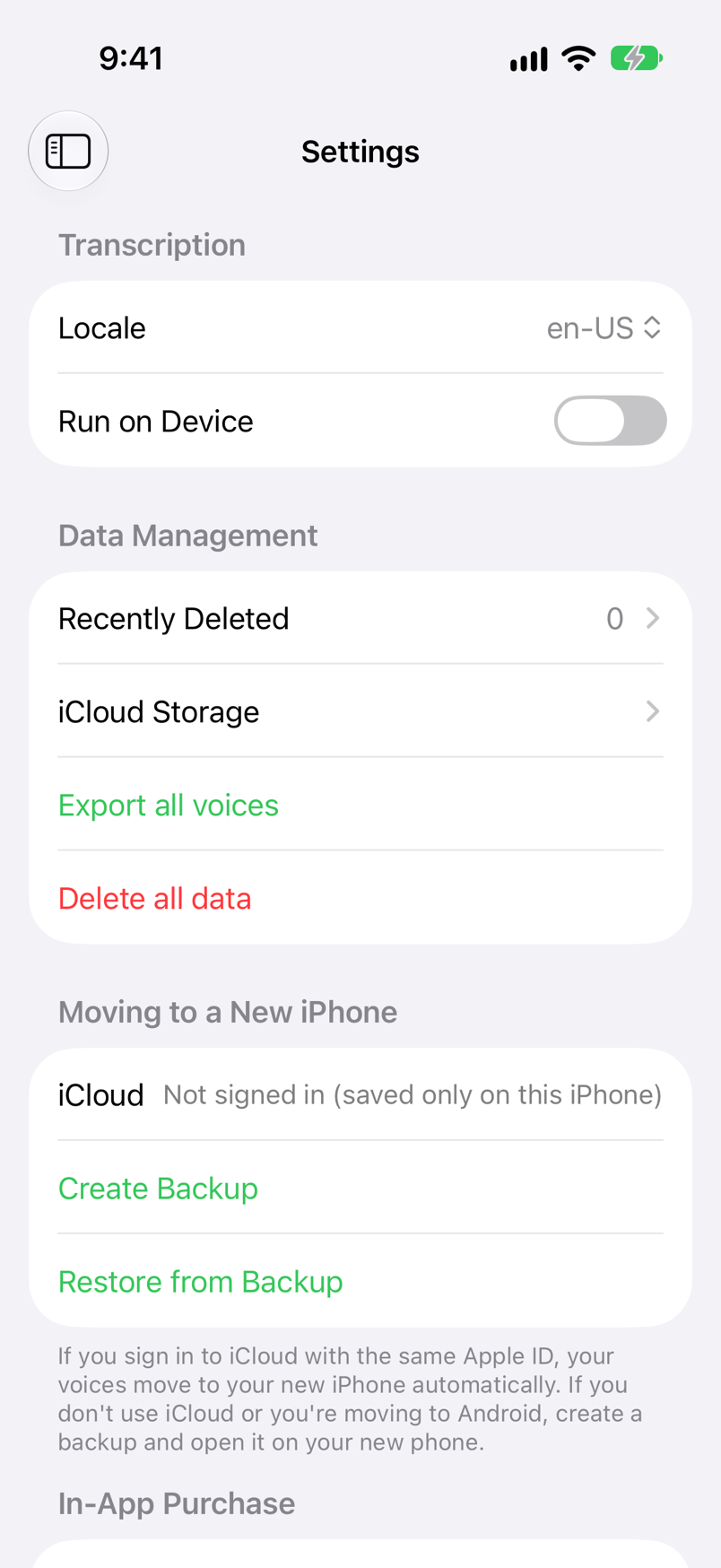
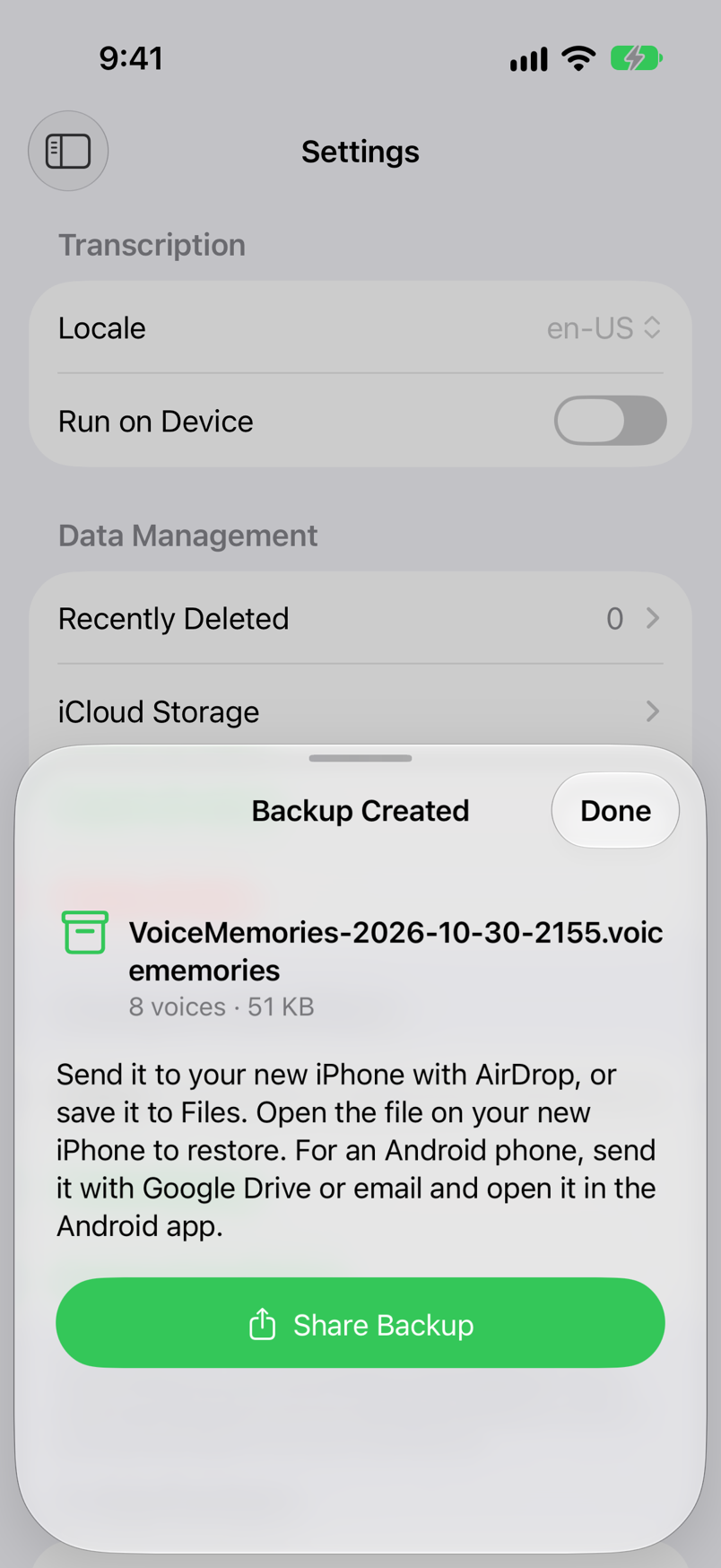
The steps for moving Voice Memories to a new iPhone are in the user guide, under Moving to a New iPhone, with screenshots.
iPhone & iPad · iOS 18 or later · Free (with ads) · No sign-up
What to check after you switch
- The list in Voice Memories ─ With many voices, loading from iCloud takes a while. The list shows “Loading from iCloud” until it finishes.
- Your LINE chats ─ Voice messages from before the last 14 days aren't carried over by the Standard Backup. Before you let go of the old iPhone, check that the voices you want are in Voice Memories on the new one.
FAQ
Q. Does a QR code transfer bring all my voice messages?
No. LINE's help lists the last 14 days of chat history (text messages, photos, videos, files, and voice messages) for a transfer with a QR code. Voice messages older than that aren't carried over by the free Standard Backup.
Q. What if my old iPhone is broken or gone?
If you set a backup PIN in advance, you can enter it during the transfer and bring the last 14 days of chat history. Without it, what comes back is the text in your Standard Backup. Voices you saved in Voice Memories load on the new iPhone when you sign in to iCloud with the same Apple Account.
Q. If I start Premium Backup now, are all my old voice messages kept?
Not necessarily. LINE's help says media that expired before you started using Premium Backup, and some media that wasn't saved on your device during the initial backup, may not be backed up. If you cancel the membership, the backup data is deleted after a 30-day grace period.
Q. What about switching between iPhone and Android?
Between different operating systems, only the last 14 days of chat history can be transferred; anything older can't. (With Premium Backup, the history backed up after you turned it on can be transferred.) Save the voice messages you want to keep as audio files before you switch.
Q. What happens to the voices I saved in Voice Memories?
Sign in to iCloud with the same Apple Account on the new iPhone and open Voice Memories; your voices, transcriptions, tags and favorites load automatically. Without iCloud, make a file with Create Backup in Settings on the old iPhone and open it on the new one to restore.
Summary
LINE's Standard Backup doesn't carry voice messages over, and a backup PIN or QR code transfer brings only the last 14 days. Premium Backup covers the whole history, but media that expired before you started may be missing. Save the voices you want to keep on your iPhone before you switch, for example with Voice Memories, and you can play them on the new iPhone whichever way you transfer LINE.
iPhone & iPad · iOS 18 or later · Free (with ads) · No sign-up